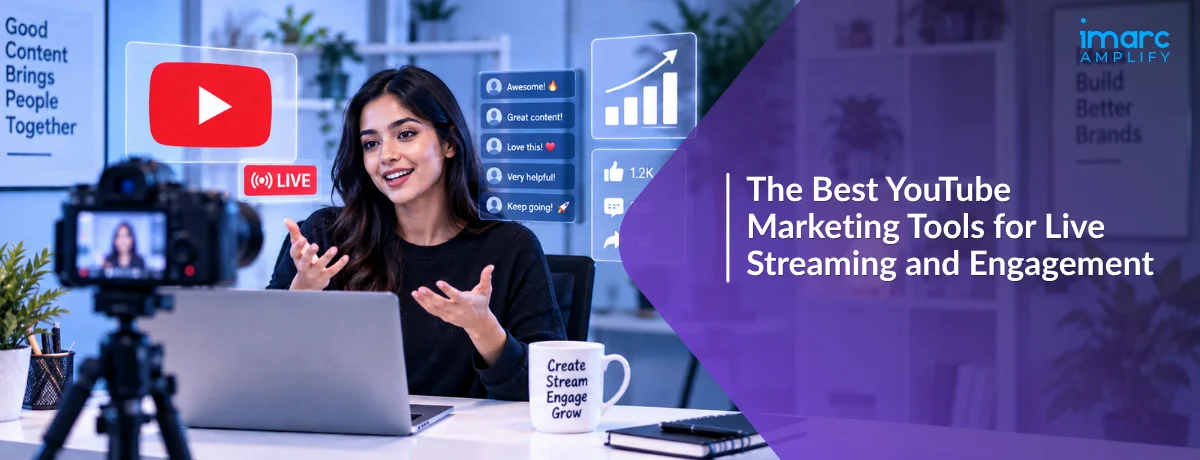
A creator goes live for the first time, juggling a laptop, a phone showing the chat, and a browser tab tracking analytics, and somehow still misses half the questions viewers are asking in real time.
That scramble usually isn't a talent problem. It's a tooling problem. The right YouTube marketing tools handle the multistreaming, chat management, and post-stream optimization automatically, freeing a creator to actually focus on the audience.
This guide covers the tools worth using for YouTube live streaming specifically, plus the YouTube SEO tools that make sure those streams keep generating views and subscribers long after the broadcast ends.
Why YouTube Live Streaming Deserves Its Own Tool Stack
YouTube now commands more than 47% of all live streaming hours watched globally, ahead of every other platform, according to AutoFaceless's 2026 live streaming data. That scale alone justifies treating live content as its own strategic priority.
The money behind it has grown just as fast. Live streaming has become one of the fastest-growing segments of digital media, and platforms like YouTube have built entire monetization ecosystems including Super Chat around fan-funded, real-time support for creators.
Live shopping segments show just how much engagement live formats can drive. Live shopping conversion rates reach roughly 30%, about ten times higher than typical e-commerce conversion rates, per the same 2026 research.
Is live streaming worth the extra tooling investment for a smaller channel? Often yes. The average viewer spends about 25.4 minutes per live viewing session, far longer than typical watch time on pre-recorded video, which gives a smaller channel more time to build real connection with each viewer.
Total viewing hours reinforce the same point. Live streaming audiences watched 36.4 billion hours in 2025, nearly matching the pandemic-era peak of 37.1 billion hours, showing that live viewing habits formed years ago never really faded.
The Best YouTube Marketing Tools for Live Streaming
These tools solve the specific logistics of going live: reaching multiple platforms at once, managing chat, and producing a broadcast that looks professional without a full production crew.
StreamYard
StreamYard remains one of the most approachable multistreaming tools, letting a creator broadcast to several platforms simultaneously without separate software for each one.
Its free plan covers one destination at 720p with a StreamYard watermark, while the Core plan, around $35.99 a month billed annually, removes the watermark, unlocks 1080p, and enables three simultaneous destinations plus AI-powered clip generation.
The Advanced plan, roughly $68.99 a month annually, expands to eight simultaneous destinations and adds webinar hosting, making it a solid fit for a creator streaming to YouTube alongside several other platforms at once.
Restream
Restream competes directly with StreamYard on multistreaming, with a free plan covering two destinations at 720p and a Standard plan around $16 a month annually that removes the watermark and adds custom branding.
Its Professional tier, about $39 a month annually, adds 1080p studio quality, local recording, and video transcription, while the Business tier scales to eight destinations with website embed players and stream backup.
Should a creator pick StreamYard or Restream? It often comes down to destination count per dollar. Restream's Professional tier offers five destinations at a similar price point to StreamYard's three-destination Core plan, making it worth comparing directly against your actual platform list.
Both platforms also offer team-oriented tiers for creators working with a producer or co-host. StreamYard's Teams plan adds role-based permissions like Owner, Admin, and Cohost, which matters once a broadcast involves more than one person managing the stream in real time.
OBS Studio
OBS Studio is free, open-source broadcasting software that gives far more granular control over scenes, overlays, and audio mixing than either StreamYard or Restream, at the cost of a steeper learning curve.
It doesn't natively multistream to several platforms the way StreamYard and Restream do, so creators who want both OBS's production control and multistreaming often pair it with a dedicated restreaming service.
Streamlabs
Streamlabs built its reputation in gaming streams but works well for any YouTube live content needing on-screen alerts, donation notifications, and customizable overlays layered directly into the broadcast.
Is a gaming-focused tool like Streamlabs useful for non-gaming live streams? Yes, since alerts and overlays work for any live format, including product launches, Q&A sessions, and educational streams that benefit from real-time visual engagement cues.
The Best YouTube SEO Tools for Growing Views and Engagement
Going live is only half the equation. YouTube SEO tools make sure the resulting video, clips, and channel keep earning views once the live broadcast ends.
vidIQ
vidIQ's free plan includes basic channel stats and 150 monthly AI credits, while its Boost plan, around $19 a month, unlocks thumbnail generation, unlimited trend research, and a full AI Coach for content planning.
The Max plan, roughly $49 a month, adds expanded AI Coach access, clip generation tools, and deeper optimization features suited to a full-time creator publishing consistently across formats.
TubeBuddy
TubeBuddy's Pro tier, about $3.60 a month billed annually, unlocks Keyword Explorer with search volume data, competition scores, and a Best Time to Publish recommendation based on channel-specific audience behavior.
Its Legend tier, around $23.19 a month, adds bulk editing across 500 or more videos at once and thumbnail A/B testing, useful for channels maintaining a large back catalog of live stream recordings and clips.
Do YouTube SEO tools actually matter for live content, or just uploaded video? They matter for both. A live stream's title, description, and thumbnail all affect discoverability exactly like a regular upload, and the recording left behind after the stream ends benefits from the same keyword optimization.
Social Blade
Social Blade tracks channel growth patterns over time and provides performance forecasting, useful for benchmarking a channel's live streaming schedule against subscriber and view growth trends.
It works well as a complement to vidIQ or TubeBuddy rather than a replacement, since it focuses more on tracking historical trends than actively optimizing individual videos.
That distinction matters when deciding where to spend a limited tool budget. Social Blade tells you whether growth is accelerating or stalling, while vidIQ and TubeBuddy give you the specific keyword and title changes to act on when it stalls.
Which Tools Should You Actually Start With
A creator just starting live streaming doesn't need the full stack on day one. Start with a free StreamYard or Restream account to handle the broadcast itself, since either covers basic multistreaming without upfront cost.
Pair that with vidIQ's or TubeBuddy's free tier for title and description optimization on the resulting recordings. Both offer enough free functionality to meaningfully improve discoverability before any paid upgrade becomes necessary.
Upgrade to a paid streaming tier once multistreaming to three or more platforms becomes a regular need, and upgrade SEO tools once trend research and bulk editing start saving more time than the subscription costs.
Add a dedicated overlay tool like Streamlabs only once the broadcast itself is running smoothly. Layering donation alerts and custom graphics onto a stream that still has basic audio or connectivity issues just adds another point of failure to troubleshoot live.
A Quick Example: Two Streamers, Two Different Tool Stacks
One creator streams weekly using only OBS Studio, manually uploading the recording afterward with a generic title and no keyword research. Viewership stays roughly flat month over month.
A second creator in a similar niche uses StreamYard to reach YouTube and a secondary platform simultaneously, then runs the resulting recording through vidIQ for title and description optimization before publishing the replay.
Both creators put in a similar amount of live-streaming effort each week. The second creator's replay videos consistently pick up organic search traffic that the first creator's uploads never generate.
The difference isn't stream quality. It's that one workflow treats the post-stream recording as a searchable asset, and the other treats it as an afterthought.
Common Mistakes Creators Make When Choosing YouTube Marketing Tools
A handful of habits quietly waste money and effort on tools that don't match how a channel actually operates.
Paying for multistreaming to platforms you don't actually use: A creator streaming only to YouTube doesn't need an eight-destination plan, and that budget is better spent on SEO tools instead.
Skipping SEO optimization on live stream replays: A replay video with a generic auto-generated title misses the same keyword opportunity a regular upload would capture.
Choosing OBS Studio without a realistic view of the learning curve: Its flexibility is genuinely valuable, but a creator who needs to be live in a week is often better served by StreamYard's simpler setup first.
Ignoring free tiers before upgrading: Both StreamYard and vidIQ offer meaningfully useful free plans, and upgrading before actually hitting those limits wastes budget a smaller channel usually needs elsewhere.
Running two overlapping tools for the same job: Subscribing to both TubeBuddy and vidIQ's paid tiers rarely doubles the benefit, since their core keyword and optimization features cover mostly the same ground.
Committing to an annual plan before validating the workflow: Annual billing saves meaningfully on both streaming and SEO tools, but only after a few months of actual use confirm which features genuinely get used week to week.
How to Measure Whether Your Tools Are Actually Working
Track average view duration on live stream replays specifically, comparing it before and after adopting SEO tool recommendations for titles and descriptions.
Watch multistreaming destination performance separately rather than combining all platforms into one number. A destination generating minimal engagement may not justify its share of a multistreaming plan's cost.
Review Super Chat and engagement trends across a few consecutive streams rather than judging a single broadcast, since live audience behavior varies more from week to week than uploaded video performance typically does.
Check keyword ranking movement in vidIQ or TubeBuddy monthly for your most important replay videos. A tool that isn't measurably improving ranking position for target terms within a couple of months may not be earning its subscription cost.
Conclusion
The best YouTube marketing tools for live streaming and engagement aren't necessarily the most expensive or feature-packed options. They're the ones that match a channel's actual platform list, production ambitions, and publishing schedule.
Start with free tiers on both a streaming tool and a YouTube SEO tool, then upgrade only once real usage patterns justify the cost. That sequence keeps spending aligned with actual growth instead of speculative feature lists.
Live streaming and SEO optimization work best as a paired workflow, not separate efforts. A well-produced stream that never gets optimized afterward leaves real, ongoing search traffic on the table.
The channels seeing the strongest long-term growth rarely have the flashiest production setup. They're the ones that treat every stream as two assets: a live event worth showing up for, and a searchable video worth finding months later.

Frequently Asked Questions
What's the difference between YouTube marketing tools and YouTube SEO tools?
YouTube marketing tools cover the broader toolkit, including live streaming and production software, while YouTube SEO tools focus specifically on keyword research, optimization, and discoverability.
Is StreamYard or Restream better for a new creator?
Both offer usable free plans, so the better choice usually depends on how many platforms you plan to stream to and which paid tier's destination count matches your budget most efficiently.
Do I need OBS Studio if I already use StreamYard?
Not necessarily. OBS Studio adds more granular production control, but many creators get everything they need from StreamYard alone unless they require advanced scene and overlay customization.
Are vidIQ and TubeBuddy worth using together?
Rarely. Their core keyword research and optimization features overlap significantly, so most creators get more value picking one and using the budget saved elsewhere.
How much does YouTube Super Chat actually pay creators?
YouTube keeps 30% of every Super Chat and Super Sticker payment, meaning a $500 Super Chat nets a creator $350, with the program having distributed over $1 billion to creators overall.
Do YouTube SEO tools help with live stream replays, not just regular uploads?
Yes. A live stream replay's title, description, and thumbnail affect its discoverability exactly like a standard upload, so the same optimization tools apply after the broadcast ends.
What's a reasonable starting budget for YouTube marketing tools?
Zero. Free tiers from StreamYard, Restream, vidIQ, and TubeBuddy all offer real functionality, and most creators can validate their workflow before spending anything.
Does live streaming actually help YouTube channel growth more than regular uploads?
It can, particularly for engagement and watch time, since average live viewing sessions run around 25.4 minutes, well above typical pre-recorded video watch time, giving creators more time to build audience connection per session.